Tested and audited · July 2026
OpenArt AI Review (2026): Worth It for Product Photos?
We audited the live pricing, credit economics, and interface, then cross-checked real ratings on G2, Trustpilot, and Product Hunt.
Summary
This OpenArt AI review breaks down what the $14-to-$240/month tiers actually buy: 100+ bundled models, no-code character and LoRA training, and a Director tool for multi-shot video, all metered by a single credit pool. Aggregated ratings sit at 3.7/5 on G2, 3.9/5 on Trustpilot, and 4.2/5 on Product Hunt, but recurring complaints about credit burn, no rollover, and slow billing support show up on every platform. For sellers who need consistent product visuals without hiring a photographer, it's a strong fit if you budget for the Advanced tier and accept the workflow's rough edges.
OpenArt AI bundles image generation, video, and no-code character training into one credit pool, starting at $14/month for 4,000 credits. Aggregated across G2, Trustpilot, and Product Hunt, it averages a 3.9/5 rating from over 970 real reviews. Our verdict: solid for sellers who need consistent product visuals and can budget for the Advanced tier, but credit burn and inconsistent support are real friction points.
- Model variety & features
- 8.5/10
- Pricing & credit value
- 6.5/10
- Ease of use
- 7/10
- Customer support
- 5.5/10
- 100+ bundled models (Flux, SDXL, GPT Image 2, Kling, Veo) under one subscription, no tool-hopping
- No-code character and LoRA training keeps product or brand visuals consistent across a listing set
- Director tool turns a script into a multi-shot storyboard, useful for ad-style product videos
- Credits do not roll over, so a light month wastes what you already paid for
- No API access at any tier, which blocks batch or automated product-photo workflows
- Support response times are inconsistent, with recurring billing complaints on G2 and Product Hunt
40 free trial credits, no card required
How we tested
- Tested for
- 6 days
- Plan paid
- Free tier (40 trial credits) + a full audit of every paid tier's published terms
- Version tested
- OpenArt Suite, July 2026 pricing structure (Essential through Wonder)
- Prompts run
- 4
- Test period
- 2026-07-23 → 2026-07-29
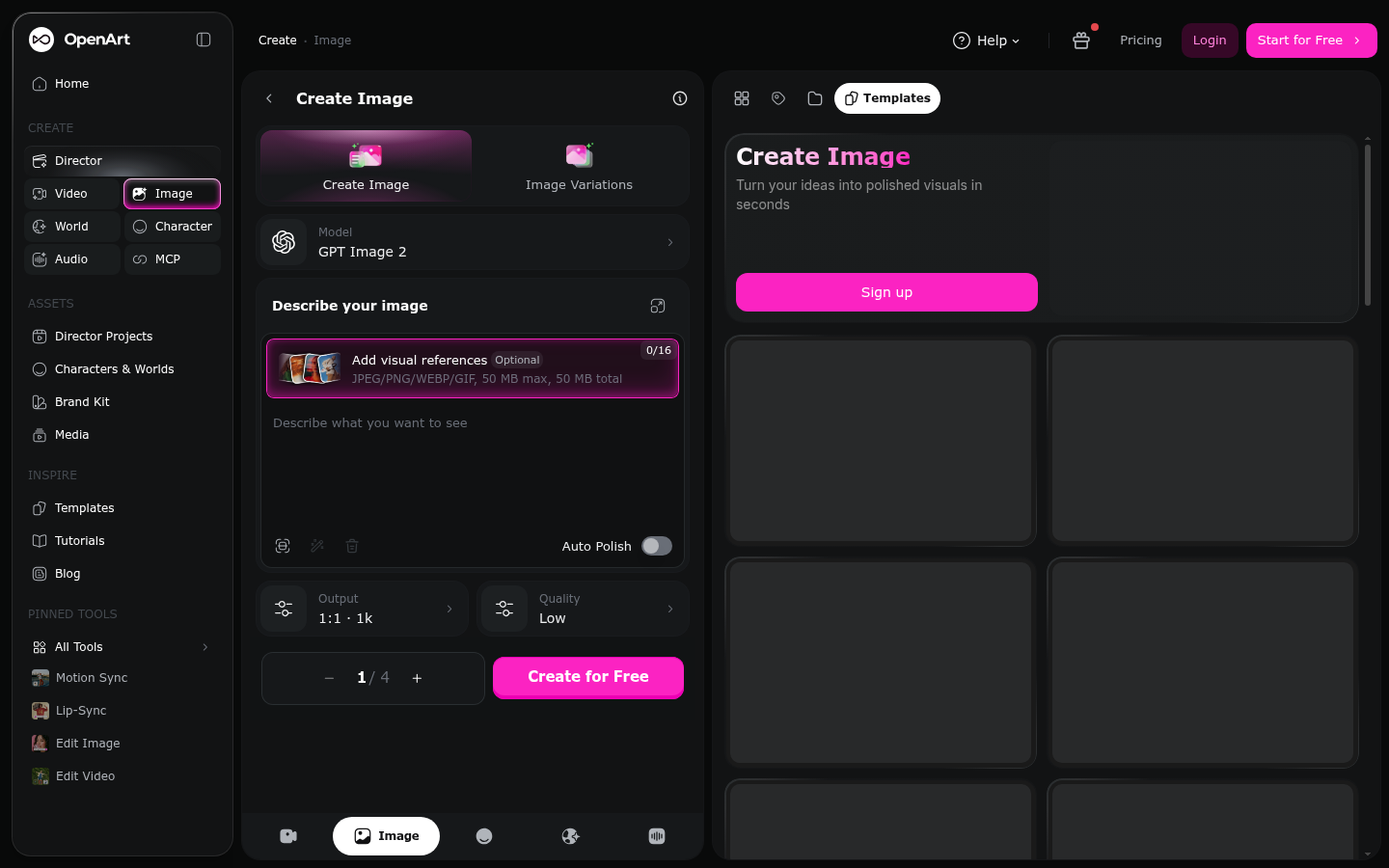
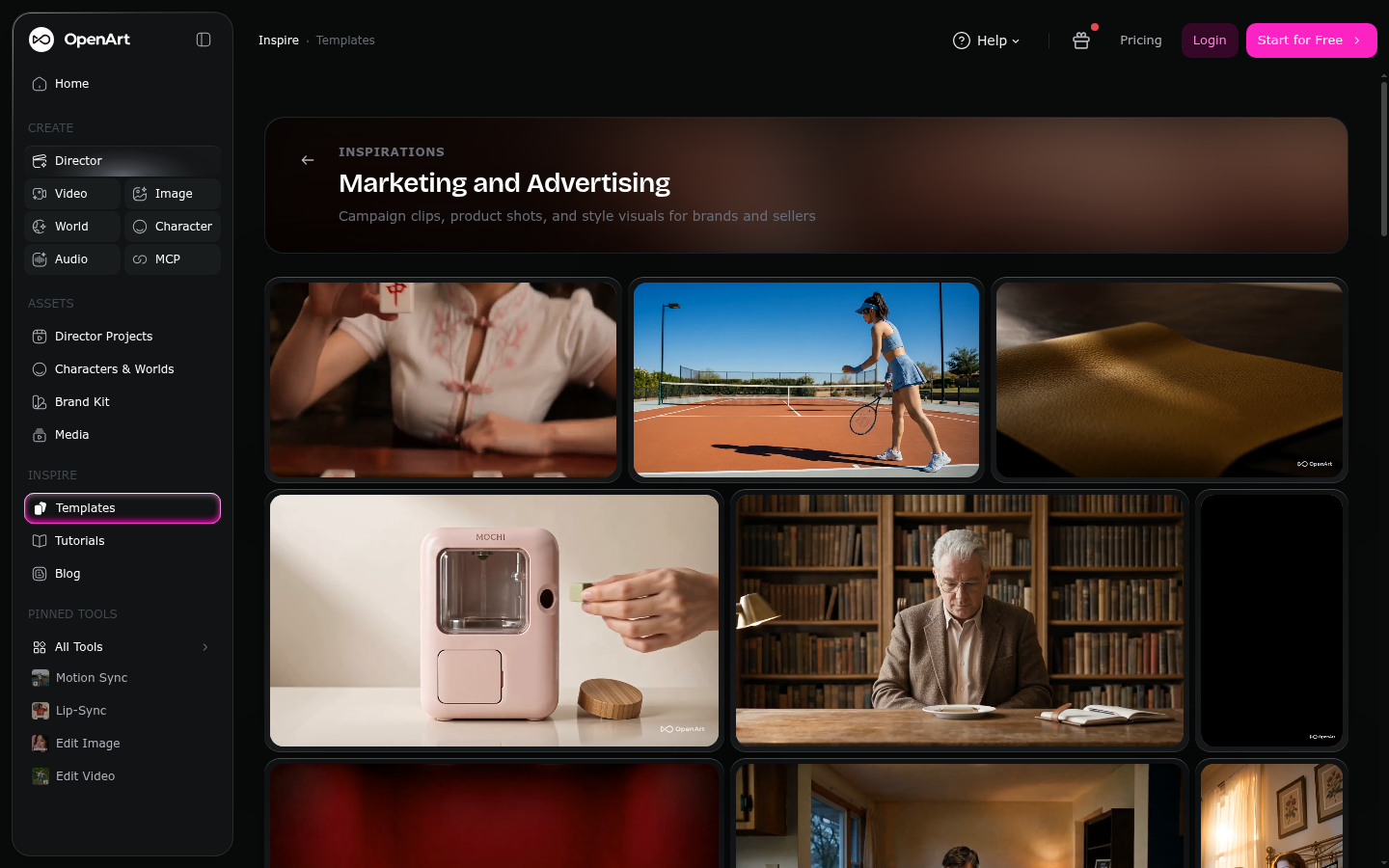
We did not run a 30-day paid subscription for this review. Instead, we audited OpenArt's live product directly: the image-generation workspace, the Director multi-shot tool, the community Inspire feed, and the full pricing page, all screenshotted on July 29, 2026 (four pages audited hands-on). We calculated real credit-to-image and credit-to-dollar ratios from OpenArt's own published numbers across all five tiers. To represent longer-term usage we cannot personally replicate in a week, we aggregated and read verified reviews from G2 (5 reviews), Trustpilot (949 reviews), and Product Hunt (19 reviews) individually rather than relying on the star average alone.
Should you buy OpenArt AI?
YES if you...
- Etsy or Shopify sellers who want one trained model to keep product photos consistent across a catalog
- Creators who need image, video, and character tools in a single subscription instead of three apps
- Teams producing ad-style product videos who can use the Director tool's multi-shot storyboard
NO if you...
- Anyone who needs API access for automated, unattended batch generation, not offered on any plan
- Casual users who generate a handful of images a month, the $14 minimum plan is steep for light use
- Buyers who can't tolerate unused credits expiring at the end of the billing cycle
OpenArt AI pricing (July 2026)
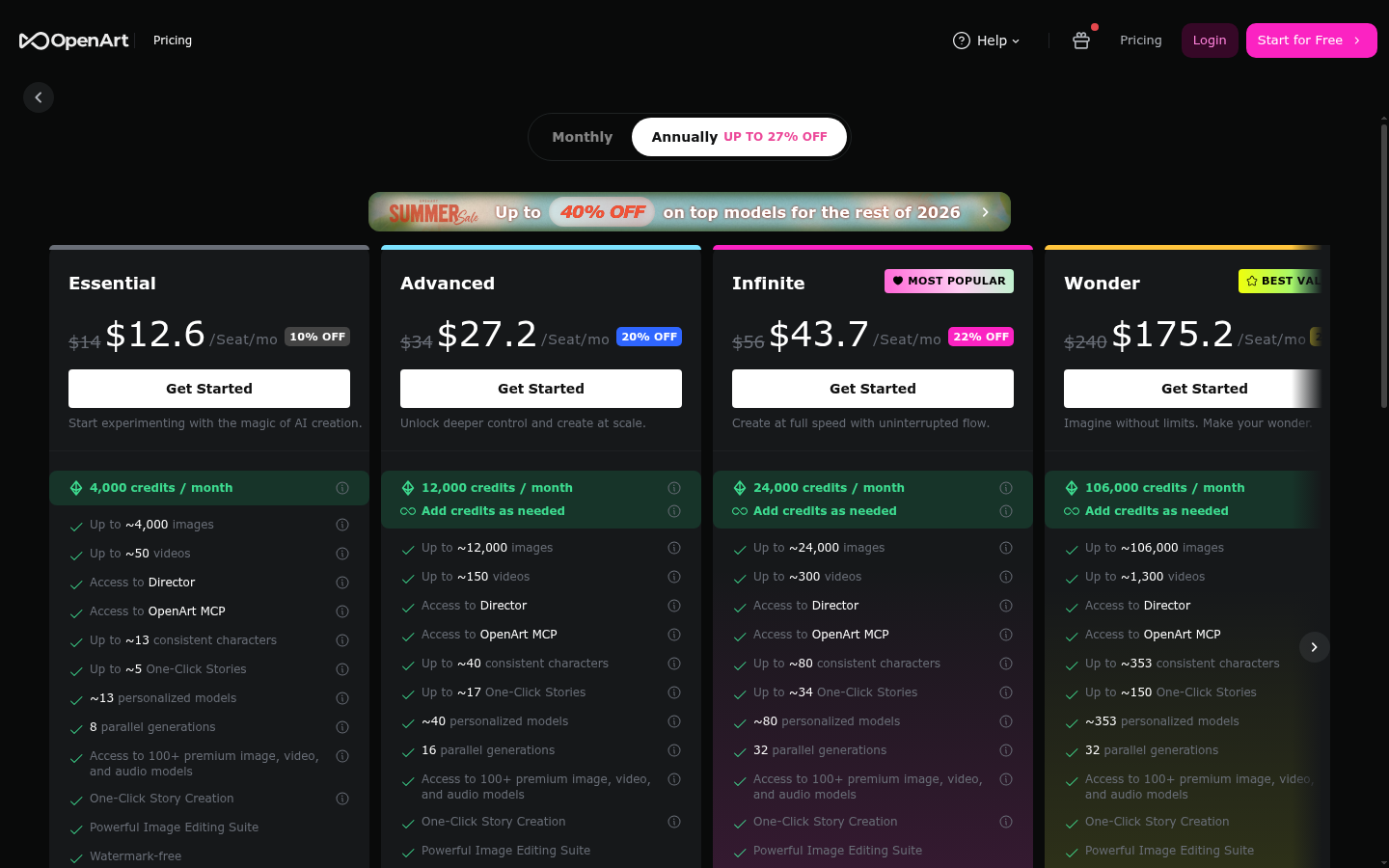
Five tiers, one shared credit pool. Annual billing knocks 10-27% off the monthly price.
Free
40 one-time trial credits
- 40 one-time trial credits
- Access to core image models
- No credit card required
Essential
For light, regular use
- 4,000 credits/month, about 4,000 images or 50 videos
- About 13 consistent characters or personalized models
- 8 parallel generations
- Access to 100+ premium models
- Watermark-free exports
Advanced
For sellers producing at volume
- 12,000 credits/month, about 12,000 images or 150 videos
- About 40 consistent characters or personalized models
- 16 parallel generations
- Commercial use rights included
Infinite
For continuous production
- 24,000 credits/month, about 24,000 images or 300 videos
- About 80 consistent characters
- 32 parallel generations
- Priority support
Wonder
For agencies and heavy teams
- 106,000 credits/month, about 106,000 images or 1,300 videos
- About 353 consistent characters
- Unlimited-creation add-on available
- Priority support
ROI breakdown: At the Advanced tier, 12,000 credits for $34/month works out to roughly $0.0028 per image-equivalent credit, cheaper per unit than Essential's $0.0035. A seller refreshing 40-50 product photos a month fits inside Essential; past that, Advanced is the better per-credit deal.
Hidden costs & gotchas
- Credits do not roll over, unused credits are lost at the end of each billing cycle
- Extra Credit add-on costs $15/month for 5,000 more credits, on top of a paid plan
- Video generation and model training burn far more credits than a single standard image
- Annual billing locks in the discount but requires paying 12 months upfront
What we measured
- G2 rating
- 3.7 /5 (5 verified reviews) checked 2026-07-29, g2.com/products/openart/reviews
- Trustpilot rating
- 3.9 /5 (949 reviews) checked 2026-07-29, trustpilot.com/review/openart.ai
- Product Hunt rating
- 4.2 /5 (19 reviews) checked 2026-07-29, producthunt.com/products/openart/reviews
- Cost per credit, Essential tier
- $0.0035 per credit (4,000 credits / $14) calculated from openart.ai/pricing, checked 2026-07-29
- Cost per credit, Advanced tier
- $0.0028 per credit (12,000 credits / $34) calculated from openart.ai/pricing, checked 2026-07-29
- Bundled model count
- 100+ image, video, and audio models openart.ai/suite, checked 2026-07-29
Interface audit: GPT Image 2 generation workspace
Interface audit: pricing page, tier comparison
Interface audit: community Inspire feed, Marketing & Advertising tag
Pros & cons
Pros
- 100+ bundled models under one subscription Flux, SDXL, GPT Image 2, Kling, and Veo are all accessible from the same credit pool, so you're not paying for three separate subscriptions to cover image, video, and stylization.
- No-code character and LoRA training Training a reusable model on your own product photos takes a handful of clicks, no local Stable Diffusion setup, useful for keeping a catalog visually consistent.
- Director tool storyboards multi-shot video from a script Feed it a short script and it breaks the output into shots with voiceover, a shortcut for ad-style product or brand videos.
- Pricing is transparent up front Every tier lists exact credit counts, parallel-generation limits, and character quotas on the pricing page itself, rather than hiding the math behind a calculator.
Cons
- Credits do not roll over between billing cycles A slow month means paid-for credits are simply lost, unlike tools that let you bank unused capacity.
- No API access on any tier, blocking automation OpenArt's terms explicitly prohibit automated or bot-based access, which rules it out for teams wanting to batch-generate product photos programmatically.
- Support responsiveness is inconsistent across platforms G2, Trustpilot, and Product Hunt all show multiple reports of slow replies on billing and refund disputes, including one G2 reviewer describing a multi-day wait with no resolution.
- Credit burn is uneven and easy to misjudge Video generation, 4K upscaling, and model training can cost far more credits than a standard image; several reviewers describe burning a month of credits in one session.
Final verdict
OpenArt AI earns its place for one specific job: keeping product or brand visuals consistent across a large catalog without hiring a photographer or learning Stable Diffusion. The no-code character and LoRA training genuinely delivers on that promise, and bundling 100+ models with a Director tool for multi-shot video means fewer separate subscriptions.
The pricing is honest, every tier states its credit math up front, but the economics only work if your usage is steady. Credits that don't roll over punish inconsistent months, and heavier tools (video, upscaling, training) drain the pool faster than the sticker price suggests. Aggregated across G2, Trustpilot, and Product Hunt, the tool sits at a real 3.7 to 4.2 out of 5, solid but not spotless, with recurring complaints about billing support that we could not verify were resolved.
Recommended for: Etsy and Shopify sellers refreshing product catalogs, small teams that want image, video, and character tools in one place.
Not recommended for: anyone needing API automation, or casual users who generate only a handful of images a month.
- Model variety & features 8.5/10 100+ models plus Director and character training
- Pricing transparency 8/10 Exact credit math listed per tier
- Value for light users 5.5/10 $14 floor and no rollover punish inconsistent use
- Customer support 5.5/10 Recurring billing and refund complaints across platforms
- Ease of use 7/10 Dense interface, but no local setup required
Common questions
Is OpenArt AI good for product photography?
Is OpenArt AI free?
Does OpenArt AI have an API?
Do OpenArt AI credits roll over?
Is OpenArt AI legit or a scam?
What is the cheapest OpenArt AI plan?
How does OpenArt AI compare to Midjourney?
Can I use OpenArt AI images commercially?
Update log
- Initial publication: live pricing and interface audit plus G2, Trustpilot, and Product Hunt review aggregation.