Pricing audit · Checked 23-24 October 2026
Canva Pricing 2026: Free, Pro and Business Compared
Every plan price, AI allowance and paywall measured from Canva's live pages, then read through the eyes of a seller who edits product photos for a living.
Summary
Canva pricing in October 2026: Free costs US$0, Pro US$144 a year (about US$12 a month) and Business US$250 per person a year. The jump from Free to Pro buys 141M+ premium assets instead of 4.7M+, 200 premium AI uses a month instead of 20, and background removal without a watermark wall. For a solo Etsy seller, Pro is fair value. Past that, AI allowances and team seats decide the bill.
Canva Pro is the right paid plan for a solo seller or creator: US$144 a year works out to US$12 a month and unlocks 141M+ premium assets and 10x the AI allowance of Free. Business adds US$106 a year for double the AI uses. Skip both if you only need one-click photo transformations.
- Value for solo creators
- 8/10
- Asset and template library
- 9/10
- AI allowance clarity
- 6/10
- Free plan generosity
- 6/10
- Photo editing depth
- 6/10
- Billing transparency
- 6/10
- Pro at US$144 a year is about US$12 a month for 141M+ premium assets
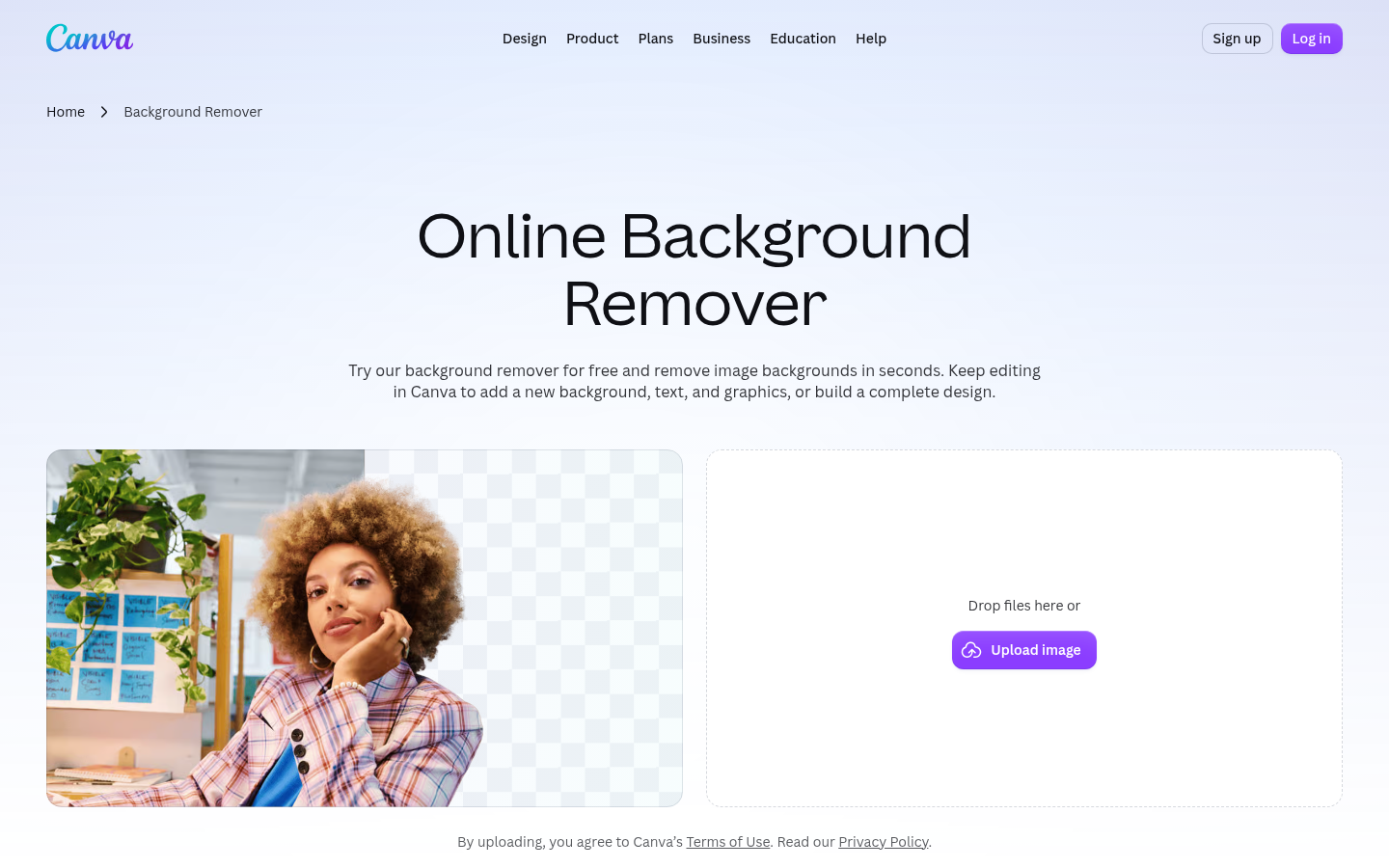
- Background remover and bulk design are included on Pro with no allowance used
- Templates jump from 1.6M+ on Free to 3.6M+ on paid plans
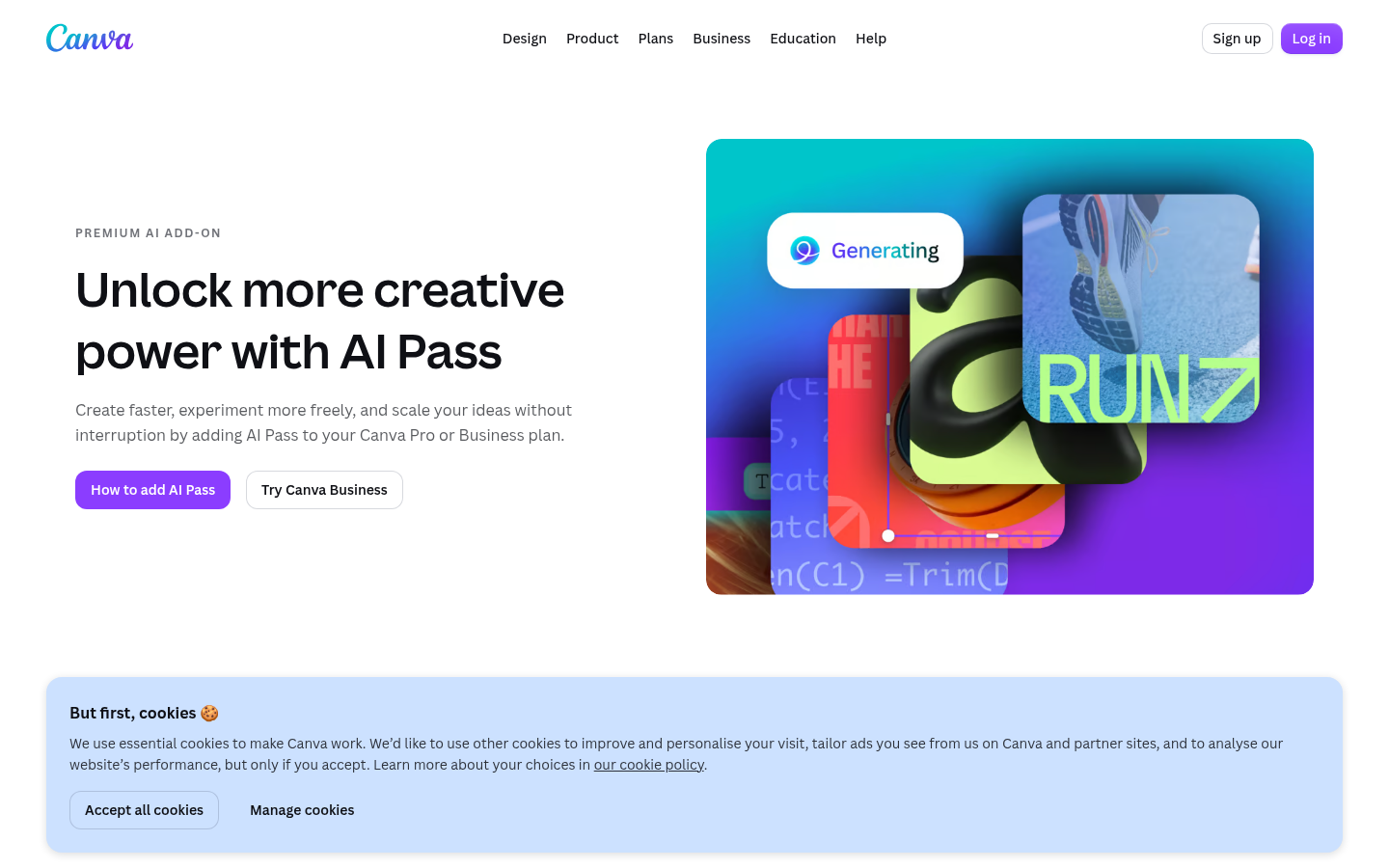
- AI Pass has no price on the public pricing page, so total AI cost stays unclear
- Free allows only 20 AI uses a month and locks background removal
- Pro is single-seat only, and team invites need Business at US$250 per person a year
Prices exclude tax. Checked on canva.com, October 2026
How we audited Canva pricing
- Tested for
- 2 days
- Plan paid
- No paid plan. Public pricing, AI-usage and feature pages audited, Free-plan flows reviewed
- Version tested
- Canva web build 20261023-02-32c4087, pricing page of 23 October 2026
- Prompts run
- 0
- Test period
- 2026-10-23 → 2026-10-24
This is a pricing audit, not a 30-day hands-on test, and we say so up front. On 23 and 24 October 2026 we scraped Canva's live pricing page, its AI Pass page, its background remover page and its help article on AI usage, and took 1440 by 900 screenshots of each. We copied every number into a sheet: plan prices, template counts, asset counts, storage, brand kits, and monthly AI uses per plan. We then computed effective monthly prices and per-use costs ourselves and label those as computed. We aggregated customer ratings from G2, Capterra, Trustpilot and Product Hunt, and read Reddit threads in r/canva for tone. We did not buy Pro, so any claim about export quality or speed on a paid account is out of scope. Where Canva does not publish a figure, such as the AI Pass price, we say it is missing instead of guessing.
Which Canva plan fits you?
YES if you...
- Solo Etsy or Shopify sellers who need premium templates and background removal on every listing photo
- Content creators who schedule social posts and want 5 Brand Kits under one login
- Community managers who batch design across formats and need print-ready CMYK export
NO if you...
- Anyone whose main job is restyling a photo's season, mood or era in one step (a dedicated spell does that faster)
- Teams of two or more on Pro, because Pro is limited to one person and invites need Business
- Photographers who need Photoshop-level retouching and precise masks
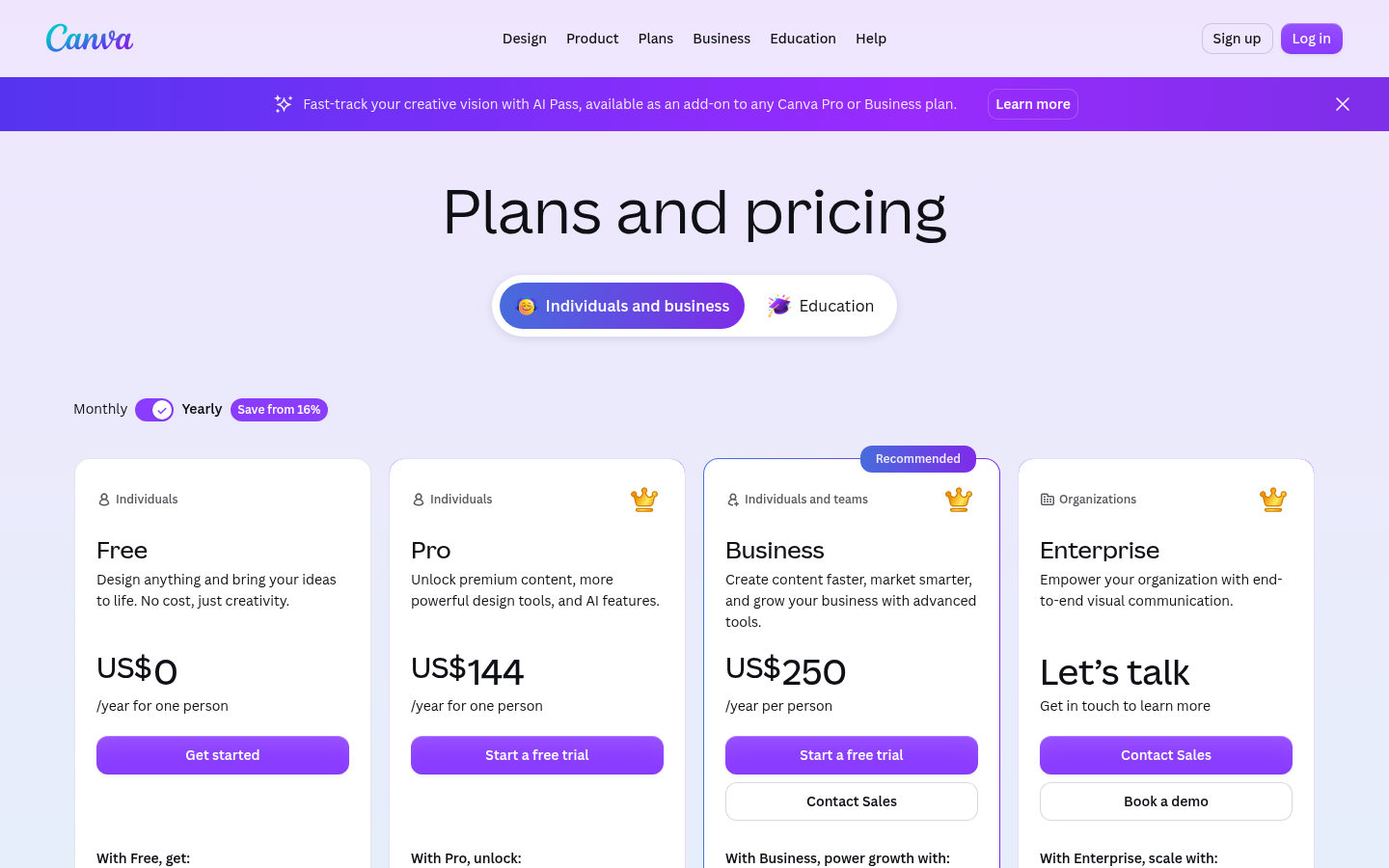
Canva plans and prices, October 2026
Prices in US dollars, billed yearly, excluding tax. Source: canva.com/pricing, checked 23 October 2026.
Free
For trying the editor
- 1.6M+ templates
- 4.7M+ photos, videos, graphics and audio
- 1 Brand Kit (3 colors only)
- 5GB cloud storage
- Up to 20 Standard or Premium AI uses a month
Pro
About US$12 a month (computed)
- 3.6M+ templates including premium
- 141M+ premium assets
- Background remover, bulk design, CMYK export
- 5 Brand Kits and social scheduling
- 100GB storage
- Up to 200 Premium or 20 Ultra AI uses a month
Business
About US$20.83 a month (computed)
- Everything in Pro
- Team invites, 100 Brand Kits, approvals
- 500GB storage
- Up to 400 Premium or 40 Ultra AI uses a month
- Access to Flourish, 10% off print orders
Enterprise
Contact sales
- SSO and SCIM
- 1,000 Brand Kits with tiered approvals
- 1TB storage
- Dedicated success manager for 150+ seats
ROI breakdown: At US$144 a year, Pro costs US$12 a month. If you edit 40 listing photos a month and remove 40 backgrounds, that is about US$0.30 per photo before any design work. Business costs US$106 more a year (+73.6%) to double the Premium AI allowance, so it only pays back if you actually hit 200 Premium AI uses.
Hidden costs & gotchas
- AI Pass is a recurring add-on and the public pricing page shows no price for it
- Canva Teams is closed to new sign-ups, so multi-seat means Business at US$250 per person
- Pro allows one person only, so a second seat forces the Business upgrade
- Free AI allowance (20 uses) is the same as the trial allowance, so a trial under-represents Pro
- One Trustpilot reviewer reported a US$15.20 monthly charge after pausing a plan
What we measured on Canva's live pages
Source figures come from canva.com on 23 and 24 October 2026. Rows marked computed are our arithmetic on those figures.
- Pro effective monthly price
- 12.00 US$ per month US$144 per year divided by 12 (computed)
- Business premium over Pro
- +73.6% US$250 vs US$144 a year, +US$106 (computed)
- Premium asset library, Free to Pro
- 4.7M to 141M photos, videos, graphics and audio, about 30x (computed ratio)
- Premium AI uses a month
- 20 / 200 / 400 Free / Pro / Business, per Canva's AI usage help page
- Pro cost per Premium AI use at full allowance
- 0.06 US$ per use US$12 divided by 200 uses (computed, best case)
- Pro cost per Ultra AI use at full allowance
- 0.60 US$ per use US$12 divided by 20 uses (computed, best case)
- G2 rating
- 4.7 / 5 7,762 reviews, checked 23 October 2026
Open canva.com/pricing and read the plan cards, yearly toggle on.
Open the Canva background remover page without an account.
Open canva.com/ai-pass and look for a price.
Pros and cons of Canva's pricing
Pros
- Pro is cheap for what it unlocks US$12 a month effective buys 141M+ premium assets, 3.6M+ templates, 5 Brand Kits and 100GB. Few design tools match that library at the price.
- Standard AI tools do not drain the allowance on paid plans Canva states that Standard AI tools on paid plans use no allowance, with fair use limits. Background removal sits in that bucket on Pro.
- Review scores hold up at scale 4.7 on G2 across 7,762 reviews and 4.7 on Capterra across 13,462 reviews is a strong, large sample.
Cons
- AI allowance is hard to translate into real outputs Standard, Premium and Ultra tools draw at different rates, and Canva says complex tasks use more. The 200 uses on Pro is a ceiling, not a promise.
- Core photo tools are paywalled on Free Background removal and template customization are unavailable on Free. Reviewers on Capterra and Trustpilot call the free tier increasingly limited.
- Pro is single-seat, Business costs 73.6% more A two-person shop cannot share a Pro account. The next step is US$250 per person, which doubles the cost per seat for features some teams never open.
- Billing complaints cluster on Trustpilot The 4.0 TrustScore is lower than G2 and Capterra, and recent reviews mention trial length, paused plans and refund disputes.
Is Canva worth paying for in 2026?
For one seller or creator, Canva Pro is fair value. At US$144 a year you get a very large asset library, background removal, bulk design and print-ready export, and the review sites back that up with 4.7 ratings on both G2 and Capterra. The weak spots are not the headline price. They are the AI allowance maths, the missing AI Pass price, and the single-seat limit that pushes a second user into Business at US$250 each.
My advice is to start on Free, hit the paywall on a real listing photo, and only then pay. If your work is mostly restyling photos, changing a season or an ambiance, check whether a dedicated spell does that step in one click before you commit to a full design suite. If you need layouts, decks and social calendars in one place, Canva Pro is still the sensible default.
Score: 7.4 out of 10. Value is high, clarity is middling, and the free plan is a trial more than a tool.
- Value for solo creators 8/10 US$12 a month effective
- Asset and template library 9/10 141M+ premium assets
- AI allowance clarity 6/10 Three tiers, variable cost
- Free plan generosity 6/10 20 AI uses, no bg removal
- Photo editing depth 6/10 Fast, not Photoshop-level
- Billing transparency 6/10 Trustpilot 4.0
Canva pricing questions
How much does Canva Pro cost in 2026?
Is Canva free to use?
What is the difference between Canva Pro and Business?
How much is Canva AI Pass?
Can two people share one Canva Pro account?
Is Canva Pro worth it for Etsy sellers?
What are the best Canva alternatives for product photos?
Update log
- Initial publication: pricing audit of Canva Free, Pro and Business using live pages checked on 23 and 24 October 2026.