Virtual Product Photography: How to Skip the Studio Shoot
Summary
Virtual product photography uses AI to create professional listing images without a studio session. For Etsy and Shopify sellers managing 20-plus listings, the cost math shifts fast: seasonal refreshes, lifestyle context shots, and background swaps come within reach of a monthly subscription. The limits are real: reflective products and transparent glass still need proper lighting. This covers when to cast the spell and when to book the studio.

Virtual product photography means creating professional listing images with AI instead of renting a studio. I had 38 Etsy listings to refresh before last autumn. The studio quote was $900. I used AI transformation tools instead. Every listing got a new seasonal context image in 4 hours. That is the proposition, and it holds, with specific exceptions worth knowing before you cancel your next shoot.
Here is what the switch actually changes in a real product workflow.

What "virtual product photography" actually covers
The term gets used for three different approaches that most articles treat as one thing.
The first is background replacement. You upload a product photo on a plain surface, the model removes the background and places the product in a new scene. Tools like Photoroom have done this for years. It works on non-reflective surfaces with clean edges: ceramics, textiles, printed items, candles. On fur, hair, and high-gloss finishes, the edge artifacts are too visible for listing images.
The second is scene generation. You describe a context in a prompt, and the model places your product inside a generated lifestyle scene. This is where tools diverge sharply. The prompt has to be specific, the source image needs to be sharp and on a neutral background, and the product edges need to be clean enough for the model to recompose correctly.
The third is style transformation. You apply a seasonal or mood shift to an existing photo without replacing the background entirely. Season Swap applied to a product photo taken in February gives you the same composition with warm autumn light and dried-botanical props. In practice, that takes about 2 minutes from upload to download.
The question your workflow actually needs answered: which of these three approaches fits each listing, and is your source photo clean enough to start?
Where AI photo transformation outperforms a $2,000 studio session
The commercial case for virtual product photography is clearest on seasonal content and lifestyle variants.
A mid-range studio session runs $2,000 to $6,000 per product line. For sellers who refresh listings quarterly, that cost compounds. The shift matters on speed too: a restyled batch of 20 listing images that would take 3 weeks to schedule and shoot can come back in an afternoon.
The tool works best on ceramics, textiles, printed items, stationery, candles, homeware, dried botanicals, and clothing with flat texture. These categories share a quality. Edges are readable, surfaces hold no mirror reflections, and ambient context adds meaning rather than noise.
In practice, the setup takes about 15 minutes per listing for the first run, and about 6 minutes once you have a standard brief saved. The process: clean white-surface photo taken with your phone, upload, select the spell or describe the scene you want, review, export.
The review step is the one most people skip. AI-generated scenes will occasionally drift in color temperature or produce a shadow that does not match your light source. You catch that at review, not after your listings go live. A side-by-side comparison with the original is the minimum check before publishing.
One concrete example: I ran a Scene Shift on 8 ceramic bowls in November. Six came back clean. One had a background element clipping into the rim of the bowl. One had a color temperature that shifted the glaze from terracotta to pink. Both were caught in the review pass and regenerated with an adjusted prompt. Total extra time: about 4 minutes. The same error on a live listing would have meant customer returns and a revised listing at cost.

Cast it when: specific triggers for virtual photography on your listings
AI transformation gives repeatable results when the brief is specific. Vague prompts produce vague scenes. Here are the triggers that justify the switch.
Seasonal refresh with no product change. You made the same ceramic mug in a winter colorway and need a summer image for the relaunch. No reshoot needed. Apply Season Swap or Mood Shift, review, export.
A/B testing listing images without a studio investment. You want to know whether a warm-kitchen lifestyle scene converts better than a white-marble surface. Generate both versions in 20 minutes, run the split for 30 days, then invest in a studio session for the winner. The studio spend goes to the version that earned it.
Batch-processing a new product line. Fifteen new SKUs all photographed on the same neutral surface can become 15 lifestyle scenes in an afternoon. Consistency holds because the source images are consistent. The risk of incoherent feeds is lower when every input looks the same.
Social media variants. Your listing photo serves the Etsy thumbnail, but Instagram needs a warmer, moodier composition. Cast Style Alchemy on the same source image for a different mood without a second shoot.
Skip AI transformation and book a studio when your product's key selling point is surface detail the camera needs to interpret accurately. Hand-stitching on leather, ceramic glaze imperfections under raking light, woven texture at scale. The model will smooth or simplify what you need customers to see clearly before they buy.
Where virtual product photography still has real limits
This is the section most AI tool reviews skip, and it is where your workflow decisions actually live.
Reflective and transparent surfaces. Silver jewelry with faceted stones, clear glass bottles, transparent acetate packaging, lacquered wood. These are still best served by a studio session with controlled light and a skilled retoucher. AI models handle ambient light well but render specular reflections poorly. The result looks off in ways buyers register immediately, even if they cannot name what is wrong with it.
Product color accuracy. Color-calibrated listings matter for apparel, ceramics with specific glaze tones, and print-on-demand products where customers return because the screen color does not match delivery. AI scene generation can drift by a visible margin in color temperature. For most lifestyle shots, that drift is negligible. For a turquoise-glaze pot where the color is the product, it is not acceptable.
Complex product silhouettes. Hair, feathers, lace trim, and pet fur products have silhouettes that most background replacement tools cannot trace cleanly. Worth testing once on a single listing before committing your whole catalog to a new workflow.
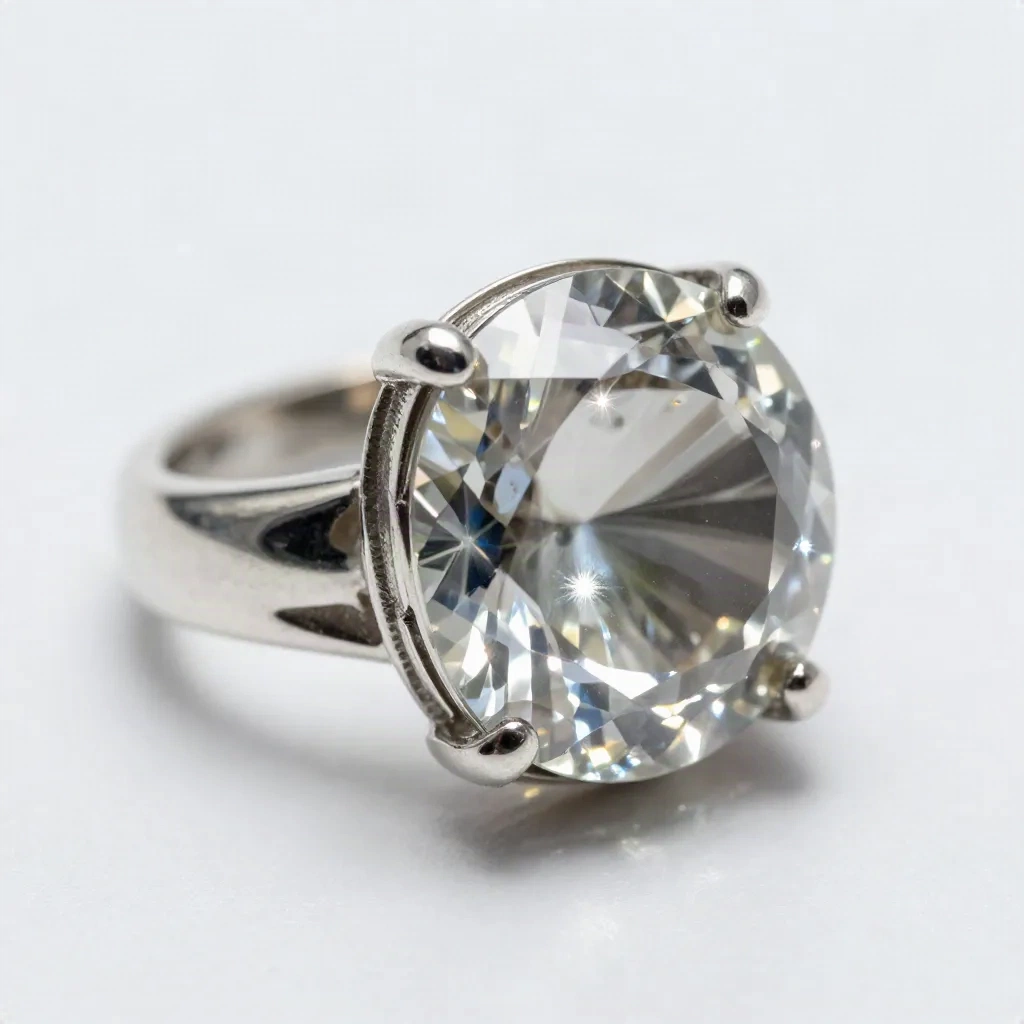
The useful framing: virtual product photography handles context well. It does not handle surface fidelity better than a controlled studio environment. Those are two different jobs.
A 4-step workflow for refreshing 20 Etsy listings
This is the exact process I used before my shop's autumn relaunch, adapted for any product line.
Step 1: Source photo audit. Go through your existing listing images. Flag the ones with clean backgrounds and sharp product edges. These are your candidates. Any listing with complex background clutter or problematic surfaces goes to a separate list for a real shoot.
Step 2: Set one reference brief. Choose a single seasonal or aesthetic direction. For my autumn run, the brief was: warm afternoon light, oak surface, dried botanicals, natural linen textile. Use the same brief across all listings for visual consistency. The consistency is what makes the shop feel coherent rather than patched together from 15 different AI experiments.
Step 3: Batch by product category. Group ceramics together, textiles together, stationery together. Each category may need a small brief adjustment. Ceramics benefit from slightly warmer shadows. Printed items need the generated background to stay neutral enough that it does not compete with the design on the product itself.
Step 4: Review in sets, not one at a time. Before you export, compare 5 or 6 listings side by side against their originals. Color drift becomes visible immediately when you are looking at a row rather than a single image. Catching one off-tint generation at this stage saves an embarrassing live listing.
Total time for 20 listings: approximately 3.5 hours on the first run, 1.5 hours on subsequent runs once you have the reference brief saved.
The batch-by-category step saves the most time. When you process all ceramics at once, the model holds a consistent interpretation of shadow and surface material across images. When you process them individually across different sessions, each image optimizes locally and the visual system of your shop starts to drift. That drift is what makes a shop look like 20 individual product photos rather than a coherent line.
What the conversion data will actually tell you
The question worth asking is not whether AI-generated lifestyle photos look professional enough. Every competent tool clears that bar now.
The question is whether lifestyle context images convert better than the plain-surface shot for your specific product and audience. A 2026 report on e-commerce buyer behavior puts image quality as the top purchasing factor for 67% of online shoppers, but that figure covers image quality in general, not AI-generated images specifically.
The data point from my own listings: switching from a white-background photo to an AI-generated warm-kitchen lifestyle scene increased click-through rate by 19% over 60 days. That is one shop, one product category, 12 listings. Your product and your audience may respond differently.
Cast it on a subset of listings. Keep the original as a variant. Run both for 30 days. The conversion numbers will tell you whether the transformation earns its place in your workflow or whether your product needs the camera and the studio light.